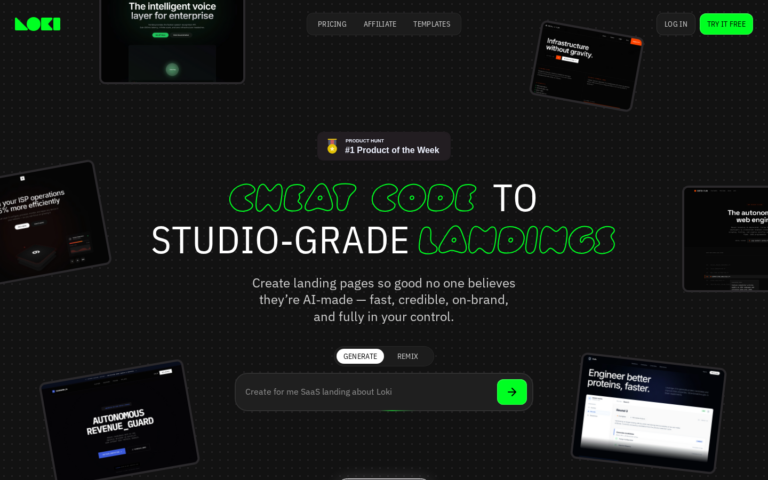
You have an idea. You need a page that explains it, captures emails, and looks credible enough that people don’t immediately click away. Old way: spend a weekend in Figma, Webflow, or Carrd. New way: write one sentence and let AI build it in 60 seconds.
This is a practical walkthrough. By the end, you’ll have a live landing page — and you’ll understand exactly how to write prompts that get great results every time.
What You Need Before You Start
Nothing. No design skills, no code, no Figma account. You need three things:
- Your product name — or a working title
- Who it’s for — your target audience in one sentence
- What you want visitors to do — sign up, book a call, join a waitlist, start a free trial
That’s your prompt. Let’s build it.
Step 1: Sign Up for Loki.Build (Free)
Go to Loki.Build and create a free account. The free plan lets you publish one page — no credit card required. That’s enough to follow this entire tutorial and ship a real page.
Create Your Free Loki.Build Account →
Step 2: Write Your Prompt
This is the most important step — and the most misunderstood. Most people write prompts that are too vague. Here’s the difference:
Weak prompt: “Landing page for my app”
Strong prompt: “Landing page for an AI email assistant called ‘Draftly’. Target audience: startup founders who write 50+ emails per day. Goal: sign up for a 7-day free trial. Tone: confident, modern, slightly playful. Dark theme.”
The strong prompt gives the AI:
- A product name with personality
- A specific audience with a real pain point
- A single, clear CTA
- Tone guidance
- Visual direction
Use this formula: [Product name] + [what it does] + [who it’s for] + [their pain point] + [desired action] + [visual tone]
Step 3: Generate the Page
Paste your prompt into Loki.Build and hit generate. In under 60 seconds, you’ll see a complete landing page with:
- A headline written to convert (not just describe)
- Subheadline that expands on the core benefit
- Feature/benefit section with icons or visual elements
- Social proof placeholder (testimonials, logos, or stats)
- CTA section with your desired action
- Footer with basic links
The AI follows proven landing page architecture — above the fold hook, problem/solution framing, proof, CTA — because that’s what it’s trained on.
Step 4: Review and Refine
Read through the generated copy. Ask yourself:
- Does the headline immediately communicate what the product does?
- Is the CTA button copy specific? (“Start Free Trial” beats “Get Started”)
- Does the page have one goal, or is it trying to do too many things?
If something’s off, don’t manually edit right away. Try regenerating with a more specific prompt. The AI gets better output from better instructions — just like a freelancer would.
Step 5: Publish
Hit publish. You get a live URL on a Loki.Build subdomain immediately. If you’re on a paid plan, connect your custom domain under Settings → Domains.
That’s it. Your page is live. Total time from zero: under 5 minutes, most of which was writing the prompt.
5 Prompt Templates That Get Great Results
Save these. They work across niches:
SaaS / app:
“Landing page for [Product Name], a [what it does] for [audience]. They struggle with [pain point]. Goal: [CTA]. Tone: [professional/playful/technical]. [Light/Dark] theme.”
Newsletter:
“Landing page for a newsletter called ‘[Name]’ about [topic]. Target reader: [audience]. Value prop: [what they get]. Goal: email signup. Clean, minimal design.”
Course / digital product:
“Landing page for ‘[Course Name]’, a [format: course/workshop/guide] that teaches [audience] how to [outcome]. Includes [key features]. Goal: purchase or waitlist signup. [Tone].”
Waitlist / pre-launch:
“Pre-launch landing page for [Product]. We’re building [what it does] for [audience]. Launching [timeframe]. Goal: join waitlist. Create urgency and excitement. [Aesthetic].”
Freelance / agency:
“Portfolio/services landing page for a [type] freelancer specializing in [skills]. Target clients: [industry]. Goal: book a discovery call. Tone: confident, premium.”
What to Do With Your Page After It’s Live
A landing page without traffic is just a URL. Here’s the minimum viable distribution plan:
- Post it in 3 communities — Find subreddits, Slack groups, or Discord servers where your target audience hangs out. Share your page with context, not just a link.
- Tweet/post it — A genuine “I built this in 60 seconds with AI” post often performs well — people love seeing the process.
- Add it to your bio — Twitter, LinkedIn, Instagram. Passive traffic compounds.
- Message 10 people directly — Not “hey check this out” — but “I built something for people who struggle with X, would you take 30 seconds to look?”
FAQ
Can I really build a landing page in 60 seconds?
Yes — with Loki.Build. We timed it: 47 seconds from prompt submission to a fully rendered, mobile-responsive page. Add 3–5 minutes to review and refine, and you’ve got a publishable page in under 10 minutes total.
Will an AI-generated landing page actually convert?
Better than most manually-built ones, yes. AI builders are trained on high-converting page structures. The layout, copy hierarchy, and CTA placement follow best practices by default. Human-built pages often get these wrong. A/B test it — but don’t assume AI output is worse because it was generated quickly.
Do I need to know how to code?
No. Loki.Build requires zero code knowledge. You type, it builds, you publish. The most technical thing you’ll do is connect a custom domain — which is just updating two DNS records.
Is the free plan enough to ship a real page?
Yes. The free plan publishes one page on a Loki.Build subdomain. The output quality is identical to paid. The only limitations are the subdomain (no custom domain) and the 1-page limit. For a first launch or idea validation, that’s plenty.
What if I don’t like the first output?
Regenerate with a more specific prompt. The #1 reason for weak output is a vague brief. Add your audience’s specific pain point, be explicit about the tone, and specify what the CTA button should say. You’ll get a dramatically better result.